
Cleaning vs. Replacing Fans in a Mac – What’s Best for Your Device?
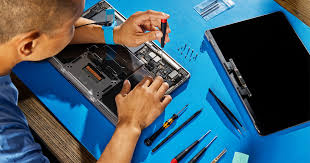
Is your Mac running hotter than usual? Are you hearing strange fan noises or experiencing performance drops? The issue may lie with your internal fans—and the big question is: Should you clean them or replace them? At MacRepair, we’ll help you decide and get it fixed in under 30 minutes—guaranteed! Let’s walk through it step-by-step. […]
How To Customize Your Mac’s Touch Bar For Better Productivity : A User Guide

The Touch Bar on your MacBook Pro is one of the most unique and innovative features Apple introduced. With its dynamic, context-sensitive display, it offers a wide range of customization options that can help you be more productive. Whether you’re a creative professional, a programmer, or a casual user, optimizing the Touch Bar for your […]
How To Customize Your Mac’s Login Window: A Step-By-Step Guide

Your Mac’s login window is the first thing you see when you start up your computer, and it sets the tone for your entire Mac experience. Customizing it can not only make it more personal, but it can also improve its functionality. Whether you want to change the login background, add a custom logo, or […]
How To Set Up Parental Controls On A Mac: A User Guide

In today’s digital world, ensuring the safety of your children while they explore the online landscape is crucial. Whether you’re trying to limit their screen time, restrict access to inappropriate content, or monitor their online behavior, setting up parental controls on a Mac is a great way to ensure their digital safety. MacRepair is here […]
How To Remove A Device From Your Apple ID –A Step-By-Step Guide

Are you looking to remove a device from your Apple ID? Whether you’re upgrading to a new device, selling your old one, or simply managing your Apple ecosystem, it’s crucial to ensure your account remains secure. Removing a device from your Apple ID helps prevent unauthorized access, improves security, and ensures a smooth transition when […]
Transfer Data From Old MacBook To New MacBook: A Complete Guide By Mac Repair

When upgrading to a new MacBook, ensuring a seamless transfer of your data is crucial. Whether you want to use Apple’s built-in Migration Assistant or prefer alternative methods, this guide will walk you through every step. In this post, we’ve explored various methods to transfer files from Mac to Mac, both with and without Migration […]
Is It Safe To Repair My MacBook Outside Apple Stores In Auckland?

Yes, it is safe to repair your MacBook outside Apple Stores in Auckland, provided you choose a trusted repair service. At our repair center, we use high-quality parts and expert technicians to ensure reliable repairs. We specialize in fixing MacBook issues, from screen replacements to battery and logic board repairs, with precision and care. Plus, […]
How To Check Your MacBook Warranty?

Want to know if your Apple device is covered under warranty or an AppleCare plan? Here’s how you can check your coverage details, find proof of purchase, and see what repairs and support are included. Check If Your Device Is Covered You can easily check whether your device is protected under an AppleCare plan or […]
Can Third-Party Repair Shops in Auckland Fix MacBooks?

MacBooks are known for their premium design, powerful performance, and durability. However, like any device, they may require repairs over time. Whether it’s a cracked screen, battery issues, or hardware failure, finding a reliable Apple repair in Auckland is essential. Many MacBook users in Auckland wonder if third-party repair shops can fix their devices efficiently. […]
Mac Repair Auckland: Same-Day MacBook Repairs And Services

If you’re facing issues with your MacBook and need urgent repairs, MacRepair in Auckland is your go-to solution. We specialize in same-day MacBook repair and service, ensuring you get your device back in optimal condition as quickly as possible. Our professional team is dedicated to providing top-quality service, expert repairs, and genuine parts to keep […]
