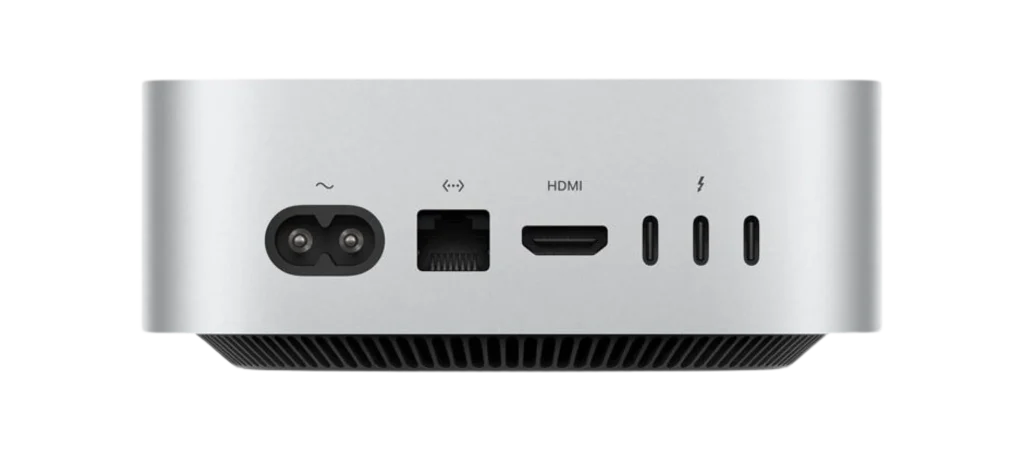
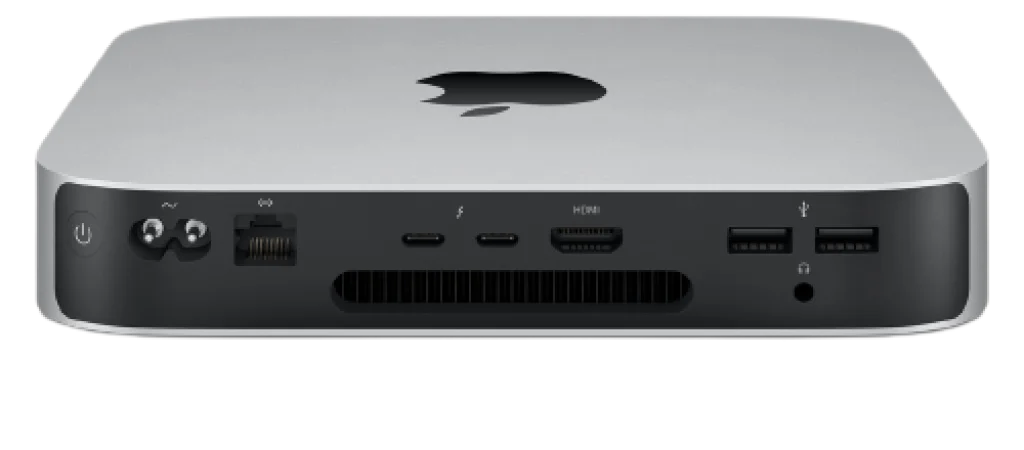
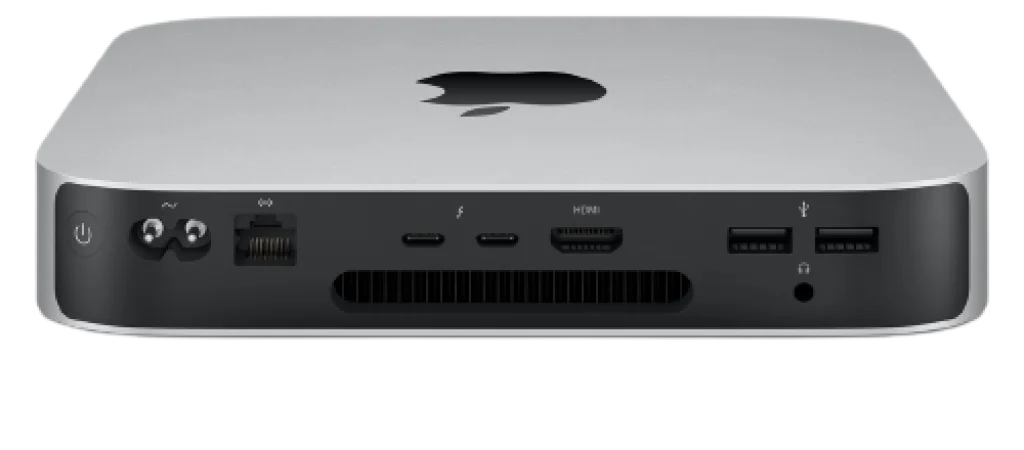
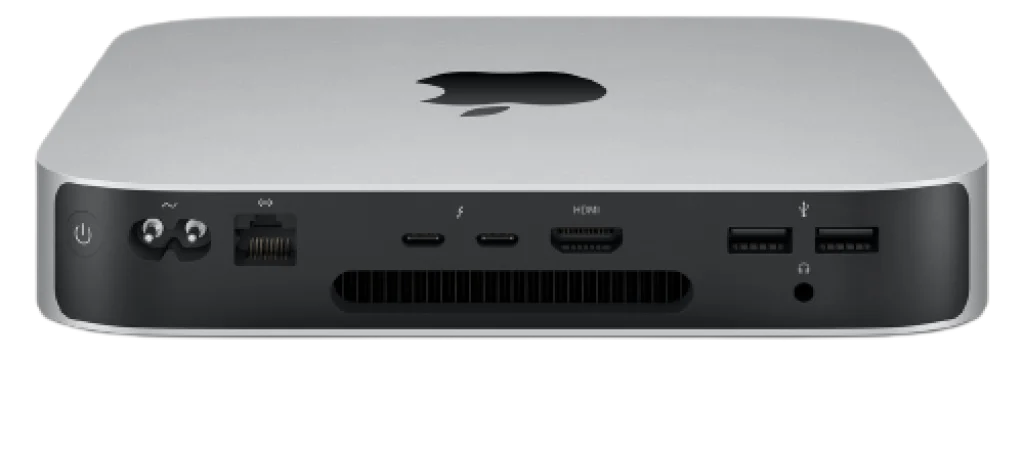
Looking for professional Mac Mini repair services in Auckland? Get your Mac Mini repaired by experts with our certified technicians who handle both hardware and software issues with precision, using genuine parts to restore your Mac Mini’s performance, reliability, and longevity. We also provide a wide range of accessories for Mac Mini, ensuring your device stays fully equipped and in excellent condition.
10‑core CPU
12‑core GPU
Up to 24GB unified memory
100GB/s memory bandwidth
Up to 12‑core CPU
Up to 16‑core GPU
Up to 32GB unified memory
200GB/s memory bandwidth
Mac Minis can face hardware and software problems such as slow performance, startup failures, or connectivity issues. Our experts diagnose and fix these problems to keep your device running smoothly.
Our Mac Mini repair services cover both hardware and software issues, ensuring your device runs smoothly. We use genuine parts and expert techniques to restore performance and reliability.
We provide expert MacBook repairs with genuine parts, fast service, and reliable support. Our priority is delivering quality care and complete customer satisfaction.
Hear what our clients have to say about our MacBook repair services in Auckland. Real experiences, honest feedback, and trusted results from satisfied customers.
Mac Mini Is A Device Which Is Able To Perform More Than Its Profile If Used In A Right Way But As We Know That Every Electronic Gadget Has Its Own Life But If We Take Care Gadget Properly Its Life Span Can Be Increased And We Are The Team Of Professionals Who Are Expert In Maintenance And Repair Of Mac Mini And Can Provide Expert Assistance To Your Gadget.
We offer quick repair services and place a strong emphasis on same-day repairs because we understand how valuable everyone’s time is and how most tasks are now completed online.Contact us for Fast Mac Mini Repair.
We are aware of how crucial your Mac is to your livelihood. We provide high-level Mac Mini repairs, and the general public and businesses of all sizes can use our repair services. You can easily transport and be around machines like the mac mini. Water contamination and damage are the most regular and accidental problems they encounter. Whenever you experience one of these accidents. Turn off your Mac Mini without hesitation, then dial a reputable, knowledgeable service provider. Of course, we see ourselves as being the same. After running a series of diagnostic tests as soon as they get your Mac mini, our technicians will call you to determine the level of care needed to safeguard your Mac mini. If you give them the go-ahead, they will. Get your iPhone Repair Now.
We follow a clear step-by-step process, from diagnosis to repair, ensuring accuracy and quality at every stage.
Yes, we provide repair services for all Mac Mini models, including older versions and the latest M1/M2 devices.
Repair time depends on the issue. Minor software fixes may take a few hours, while hardware repairs can take 1–3 business days.
Storage Upgrades/Replacement
Older Intel Mac minis often allow replacing or upgrading HDDs or SSDs.
M1/M2 Mac minis have soldered storage, so replacing it isn’t feasible; you’d need an external drive.
RAM Upgrades
Some older Intel Mac minis (2012–2014) have user-upgradable RAM.
M1/M2 Mac minis have soldered RAM, so it cannot be upgraded after purchase.
Power Supply Issues
Power supply units can fail, and most Mac mini models allow a technician to replace them.
Logic Board/CPU Repairs
Logic board replacement is possible but expensive; it’s usually the most costly repair.
Ports or Connectivity Issues
USB, HDMI, Thunderbolt ports can often be repaired or replaced by a professional.
macOS/System Issues
Operating system problems, malware, or boot errors can usually be fixed by software troubleshooting without hardware replacement.
M1/M2 Mac minis: Less user-serviceable; many repairs require professional tools or replacing the entire logic board.
Data safety: Always back up your data before repair.
Professional repair recommended: Apple-certified or experienced repair shops (like Mac Repair) can handle most hardware and software issues safely.
The lifespan of a Mac mini depends on usage, maintenance, and model, but generally:
Hardware Longevity:
Most Mac minis last 7–10 years for everyday use.
Intel-based Mac minis can sometimes last longer if well maintained.
M1/M2 Mac minis are newer but expected to have a similar lifespan of around 10 years.
Software Support:
Apple typically provides macOS updates for 7–8 years after release.
After updates stop, your Mac mini may still work, but newer apps and features may not be supported.
Factors Affecting Lifespan:
Usage intensity: Heavy workloads (video editing, 3D rendering) may shorten lifespan.
Environment: Heat, dust, and poor ventilation can reduce hardware life.
Maintenance: Regular software updates, cleaning, and occasional hardware upgrades (where possible) extend life.
Tip: Even after official software support ends, your Mac mini can often be used for basic tasks, media, and server duties for several more years.
Mac & iPhone Diagnostics from $39 NZD
We offer a full diagnostic service for your Mac, MacBook, iMac, Mac mini, iPhone, or iPad starting from just $39 NZD. Our expert technicians will thoroughly check your device, identify any issues, and provide a detailed repair quote. If you decide to proceed with the repair, the diagnostic fee is applied towards the total cost. Fast, reliable, and affordable — know exactly what your device needs before committing to repairs.
Yes, our experts diagnose and resolve power or startup issues, restoring your Mac Mini to full functionality.
Yes, we provide convenient pickup, delivery, and in some cases, on-site diagnostics for Mac Mini repairs.
Your privacy is our top priority. We ensure all data remains secure, and our technicians never access personal files.
It depends on the model:
Older Intel Mac minis (pre-2014)
RAM: Some models have user-upgradable RAM.
Storage: Hard drives or SSDs can often be replaced or upgraded.
Other components: Limited options; logic board and ports usually not user-replaceable.
Recent Intel Mac minis (2018)
RAM: Upgradable, but not as easily as older models.
Storage: Soldered SSD, cannot be upgraded.
M1 / M2 Mac minis (2020–present)
RAM and storage: Both are soldered to the motherboard and cannot be upgraded after purchase.
External drives can be used for extra storage.
Tip: If you’re buying a Mac mini, it’s important to choose the desired RAM and storage upfront, especially for M1/M2 models, as upgrades are not possible later.
At NZ Electronics Repair, we provide expert electronic repair services across Auckland for a wide range of devices, including MacBooks, iMacs, Mac minis, iPhones, iPads, and PCs. Our team delivers fast, reliable, and affordable solutions — from screen replacements and battery swaps to complex hardware and software repairs. We offer device diagnostics starting from $39 NZD, so you know exactly what your device needs before committing to repairs. Quality service, quick turnaround, and customer satisfaction guaranteed.

We are your trusted MacBook repair experts in Auckland, offering reliable solutions for all Apple devices.From screen and battery replacements to software troubleshooting, our certified team delivers professional care.
Quick Links
Contact Us
Copyright © 2025 All rights reserved Mac Repair